Assign Infocodes to Functionality Profile
Infocodes can be assigned to a number of operations in the POS. This is done in the functionality profile which is set up in the Site Manager.
The operations the infocodes can be assigned to:
- Start of transaction
- End of transaction
- Tender declaration
- Item not on file
- Item discount
- Total discount
- Price override
- Return item
- Return transaction
- Void item
- Void payment
- Void transaction
- Add a salesperson
To assign an infocode to an operation:
- Select Store setup > Profiles > Functionality profiles
- Select the functionality profile that is going to be changed
- Open the infocode tab
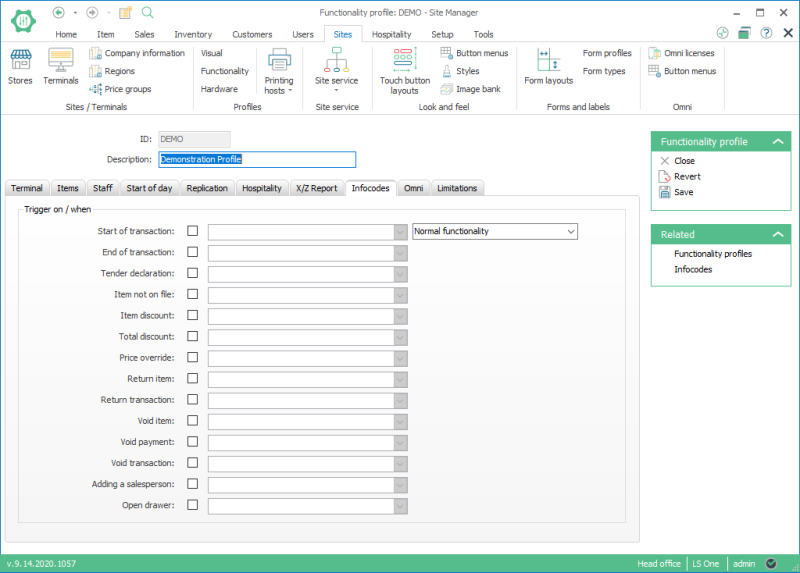
- For each available functionality you can select an infocode in the dropdown selection. This infocode will be run when the operation is run in the POS.

The Functionality profile needs to be selected on the Store and/or terminal to get the changes to the POS.
| Last updated: | 27th October 2016 |
| Version: | LS One 2016.1 |

